
AI Storyboard Generator
From script to storyboard, then to video
Write the story once. AdFlex breaks it into scenes, keeps your product the same in every frame, and lets you fix or animate each scene.
Free plan available · No credit card needed · Cancel anytime
What you can make
Script to scenes
Paste a script and get a board of scenes, each with its shot and mood.
The same product in every scene
Add a product photo as a reference and it carries through the whole board.
Fix any frame
Redo a single scene and keep its earlier versions to compare.
Animate into video
Turn any scene into a clip with a video model.
Real results from AdFlex
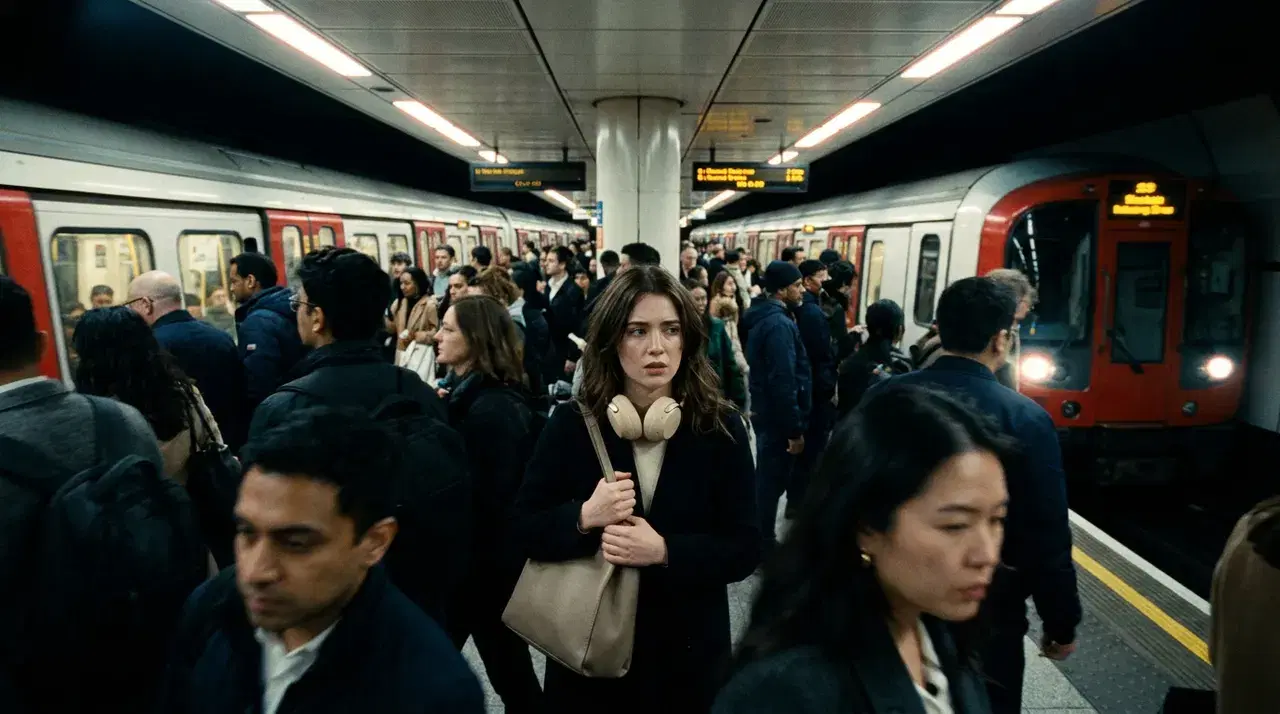
One script and one product photo became these six scenes, shown as they came out.
The script
- Rush hour: a young woman stands on a packed, noisy city platform, trains screeching, people pushing.
- She takes the sand-beige HUSH headphones out of her bag.
- Close-up as she puts them on and closes her eyes.
- The city around her goes soft and slow, crowds blur into warm light, she is calm in the middle of it.
- She walks through the evening streets smiling, the headphones on, the world quiet.
- She reaches a rooftop at sunset and looks over the city, peaceful. End on the headphones catching the golden light.
Scene 1 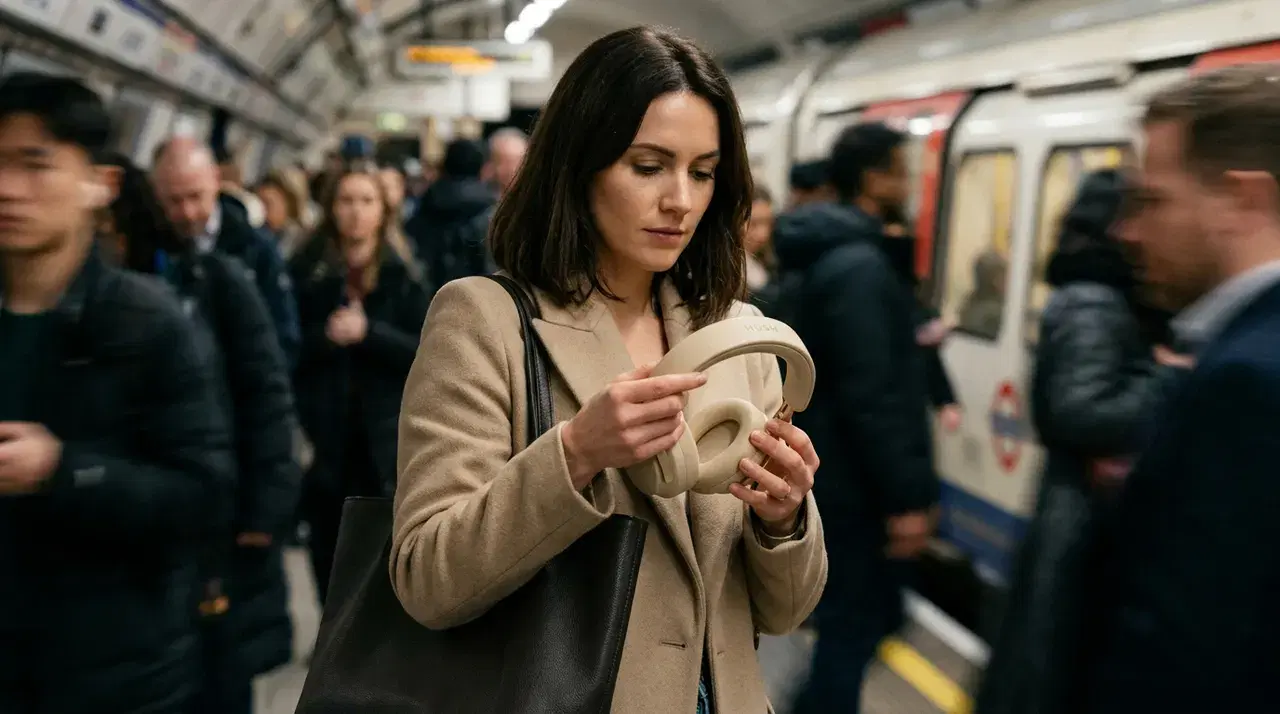
Scene 2 
Scene 3 
Scene 4 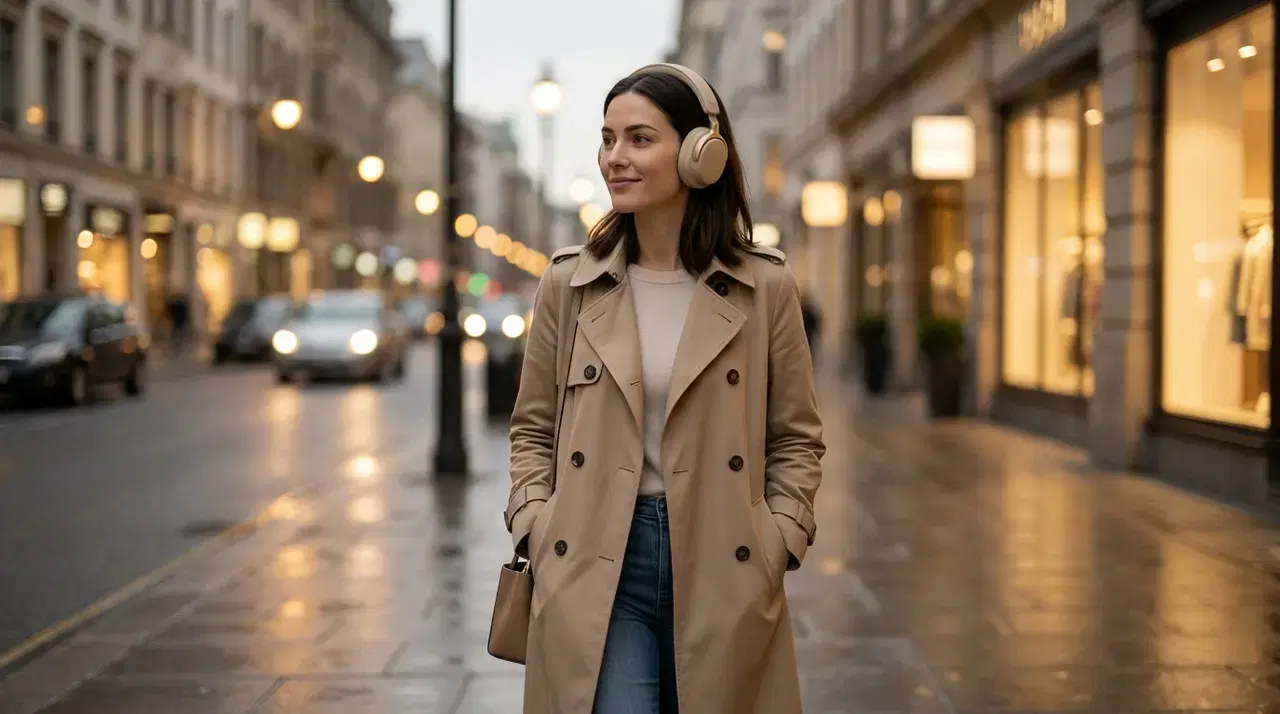
Scene 5 
Scene 6
Every leading model in one place
This list is read live from the app, so it always matches the models you can use today.
80 models from 18 AI labs
Image models
- Nano Banana 2.1Google
- GPT Image 2.5 SunburstOpenAI
- Qwen Image 2.1 ProAlibaba
- GPT Image 2.5 FlareOpenAI
- Flux 3 Image KleinBlack Forest Labs
- Flux 3 Image Klein BaseBlack Forest Labs
- Flux 3 ImageBlack Forest Labs
- Seedream 5.0 ProByteDance
- Nano Banana ProGoogle
- GPT Image 2OpenAI
- Grok Imagine Image 2.0xAI
- Nano Banana 2Google
- Ideogram 4.5Ideogram
- Seedream 5.0 LiteByteDance
- Recraft V4 Styles ProRecraft
- Krea 2 MediumKrea
- Seedream 4.5ByteDance
- Flux 2 ProBlack Forest Labs
- Nano Banana 2 LiteGoogle
- Grok Imagine ImagexAI
- Krea 2 TurboKrea
- Ideogram 4.0 RemixIdeogram
- Ideogram 4.5 Precise EditIdeogram
- Ideogram 4.0Ideogram
- Recraft V4 StylesRecraft
- Seedream 5.0 FlashByteDance
- Qwen Image 2.1 TurboAlibaba
- Flux 2 DevBlack Forest Labs
- Flux 2 FlexBlack Forest Labs
- Z-Image TurboAlibaba
- Nano BananaGoogle
- Flux Kontext ProBlack Forest Labs
- Flux Kontext Pro Multi-ImageBlack Forest Labs
- Flux SchnellBlack Forest Labs
- SeeDream 4ByteDance
- P-Image UpscalePruna AI
- Topaz Labs Wonder 3.5Topaz Labs
- Remove BackgroundBiRefNet
Video models
- Seedance 2.5ByteDance
- AdFlex GenjutsuAdFlex
- Kling Video 4.0Kling
- Gemini Omni Flash 1.1Google
- FLUX Video Edit FastBlack Forest Labs
- MiniMax H3MiniMax
- Wan 3.0Alibaba
- Wan 3.0 PrimeAlibaba
- MiniMax H3 MaxMiniMax
- MiniMax H3 FastMiniMax
- MiniMax H3 Max TurboMiniMax
- FLUX 3 VideoBlack Forest Labs
- HeyGen Video 1.0HeyGen
- Seedance 2.0ByteDance
- Veo 3.1Google
- Grok Imagine Video 1.5 LitexAI
- Grok Imagine Video 1.5xAI
- sync-3Sync
- Kling 2.6 MotionKling
- Kling Video 3.0 StandardKling
- Kling 3.0 Standard MotionKling
- Seedance 2.0 FastByteDance
- Seedance 2.0 MiniByteDance
- Seedance 1.5ByteDance
- Veo 3.1 LiteGoogle
- Grok Imagine VideoxAI
- Kling Video 3.0 ProKling
- Kling 3.0 Pro MotionKling
- Kling Video 3.0 TurboKling
- Kling Video O3 StandardKling
- Kling Video O3 ProKling
- Veo 3.1 FastGoogle
- KLINGAI 2.5 Turbo ProKling
- Kling 2.6 ProKling
- WAN 2.5 PREVIEWAlibaba
- Runway Gen4 TurboRunway
- Seedance 1 ProByteDance
- Seedance 1 Pro FastByteDance
- ByteDance Video UpscalerByteDance
- BytePlus Video EnhancementByteDance
- BytePlus Video Enhancement ProByteDance
- Act TwoRunway
How it works
Write the script
Describe the story scene by scene, or in a few lines.
Add your product
Upload a product photo so every scene shows the same item.
Fix and animate
Redo the frames you want to change, then animate the scenes into clips.
Questions and answers
Is the AdFlex AI storyboard generator free?
You can start on the free plan, which includes monthly credits and needs no credit card. Scenes and clips use credits, and the app shows the price before you generate. The pricing page compares the plans.
Can I keep the same product in every scene?
Yes. Add a product photo as a reference and it carries through every scene of the board.
Can I turn the storyboard into a video?
Yes. Animate any scene into a clip with a video model, then put the clips together into your ad.
What can I use a storyboard for?
Plan video ads, social clips and product launches, and share the board with your team before you make the video.
More AdFlex tools
AI Video Generator
Turn text or images into video, edit your footage, add lip sync and upscale clips with the latest AI video models, in English or Arabic.
AI Image Generator
Create images from a prompt or edit your photos with the leading AI image models. Upscale, remove backgrounds and make ad-ready visuals.
AI Product Photoshoot
Turn an everyday product photo into studio and lifestyle shots for your store, ads and social media. Four styles per run and 15 moods.
Turn your next script into scenes
Start on the free plan and see the price before you generate.
Create a storyboard